How to Download
Follow these steps to install the extension.
1
Step 1
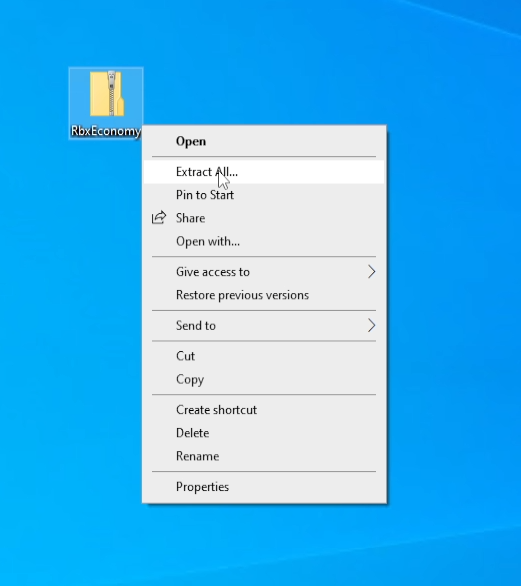
Extract the folder from zip file
2
Step 2
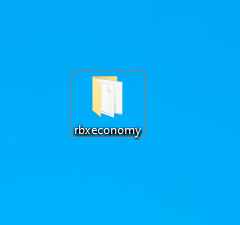
You will get the folder from the zip archive
3
Step 3
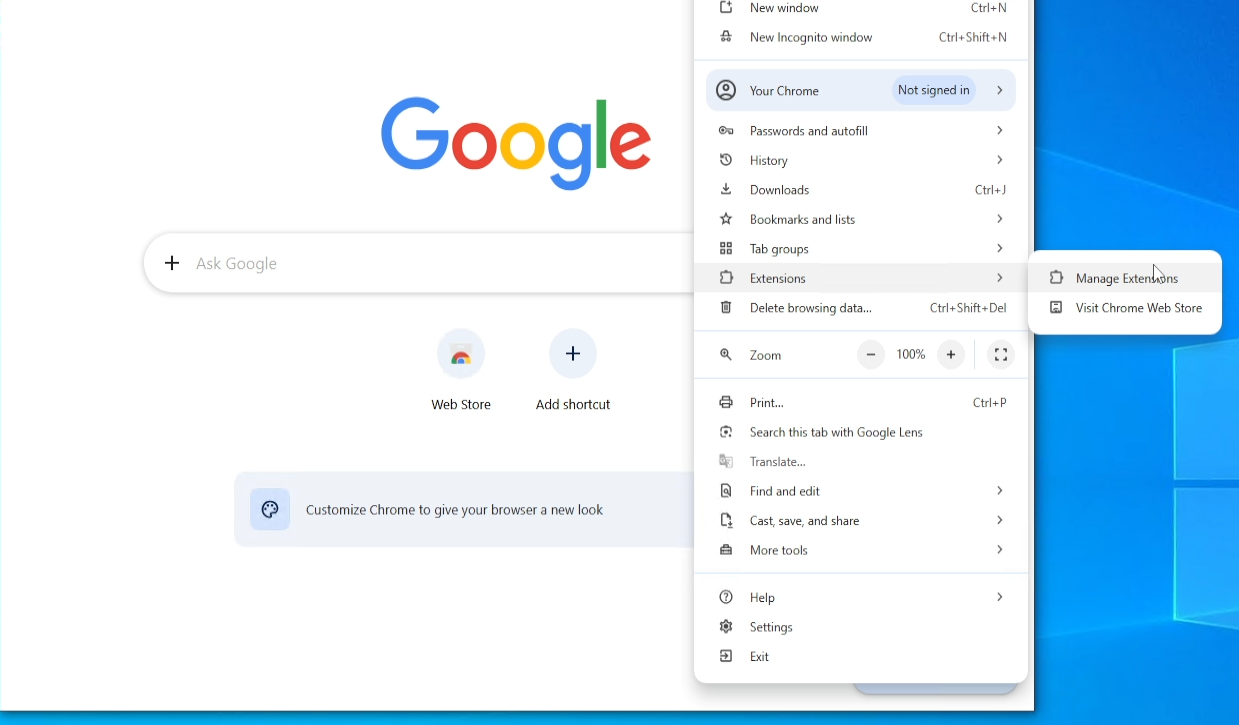
Open chrome browser, click three dots > Extensions > click manage extensions
4
Step 4
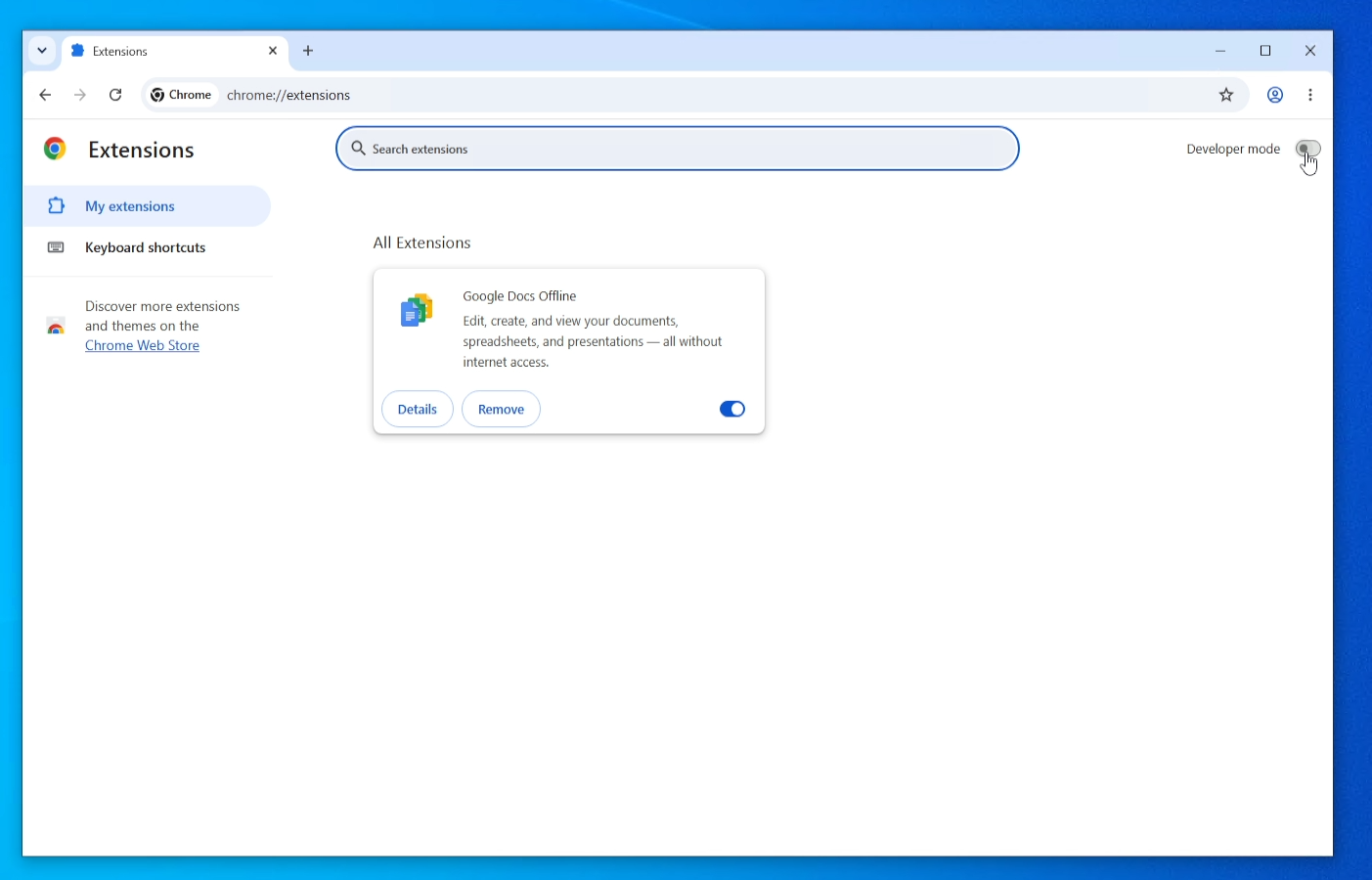
Enable the developer mode
5
Step 5
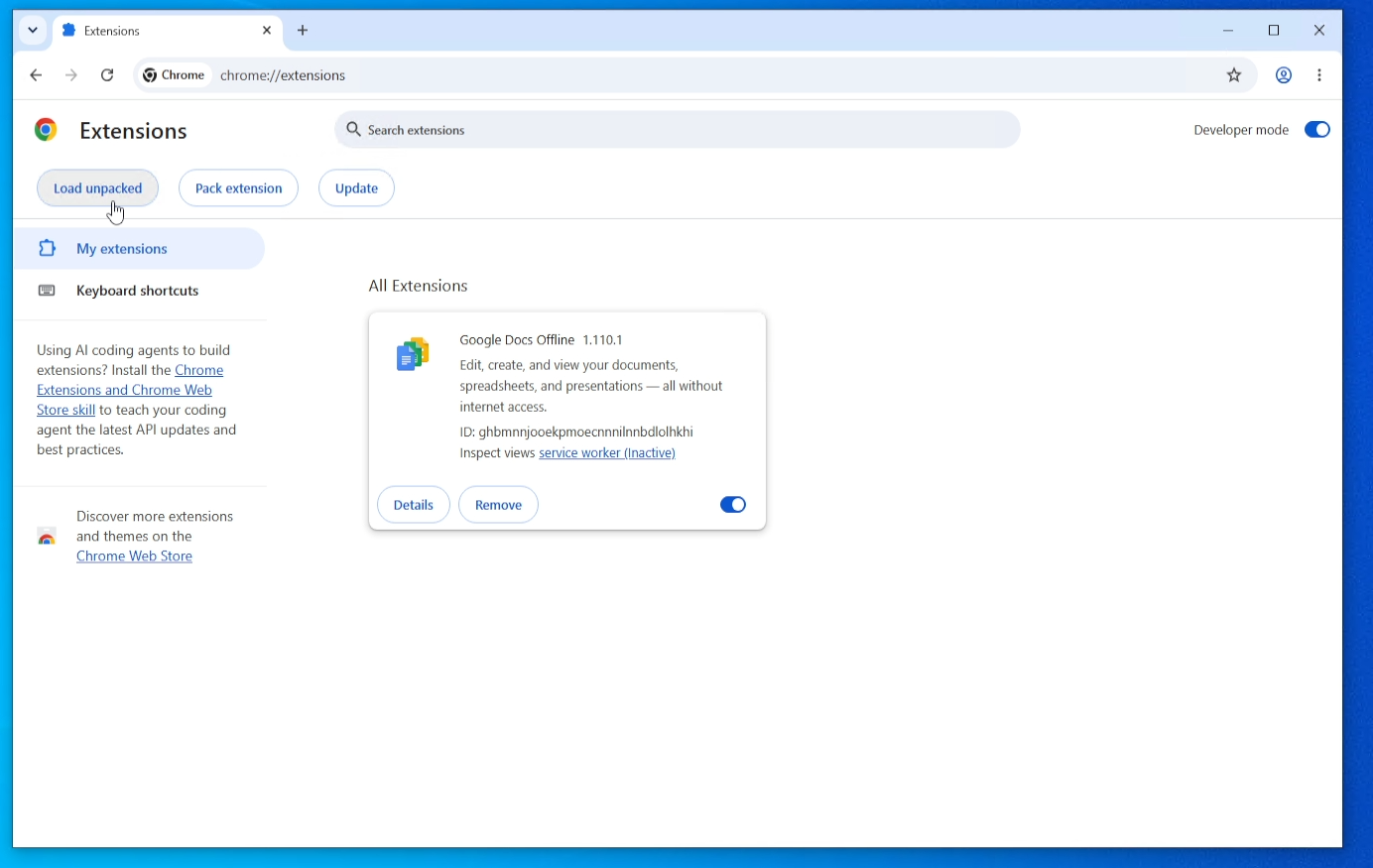
You got three new buttons, click "Load unpacked"
6
Step 6
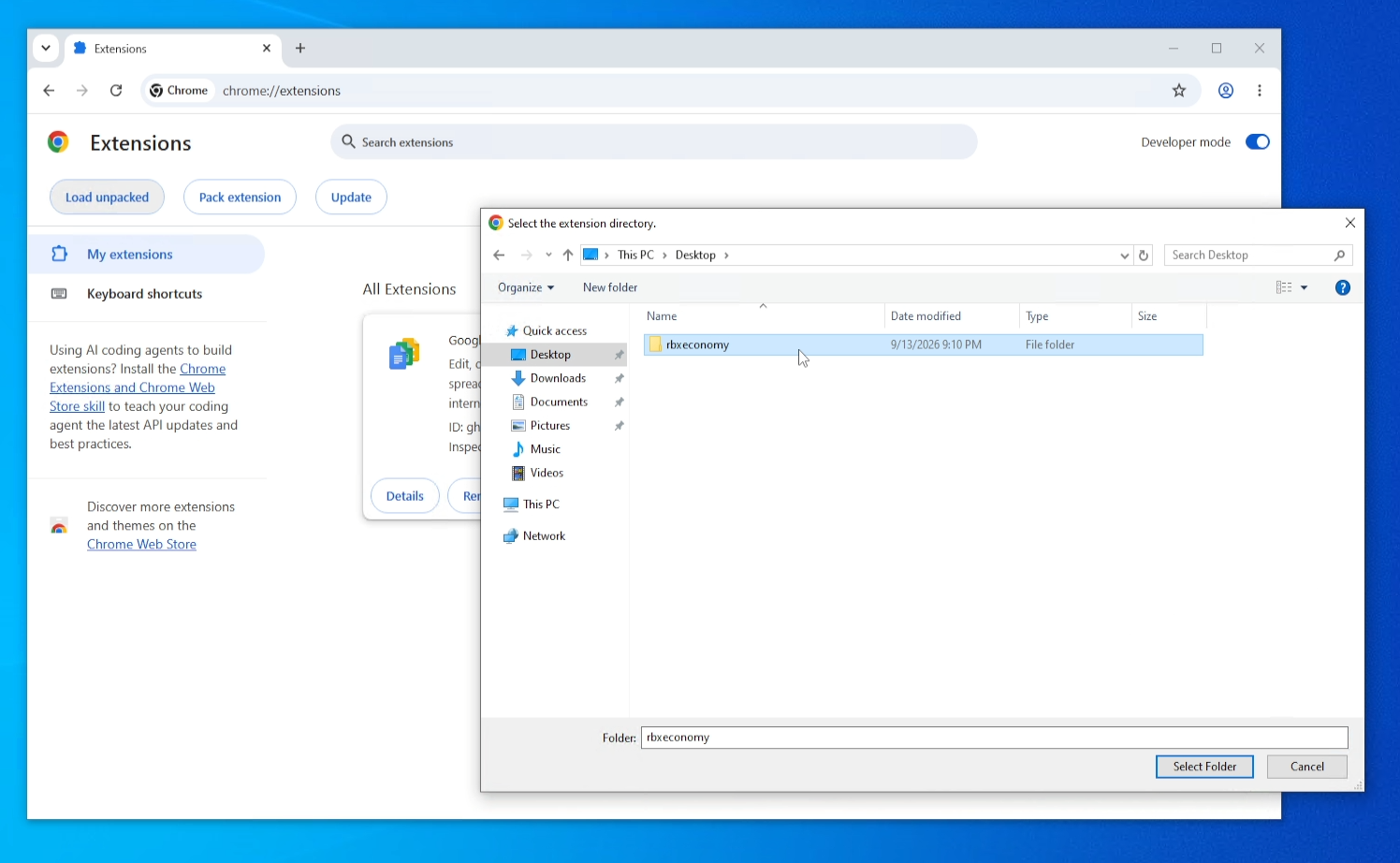
Select the rearchived folder with name "rbxeconomy"
7
Step 7
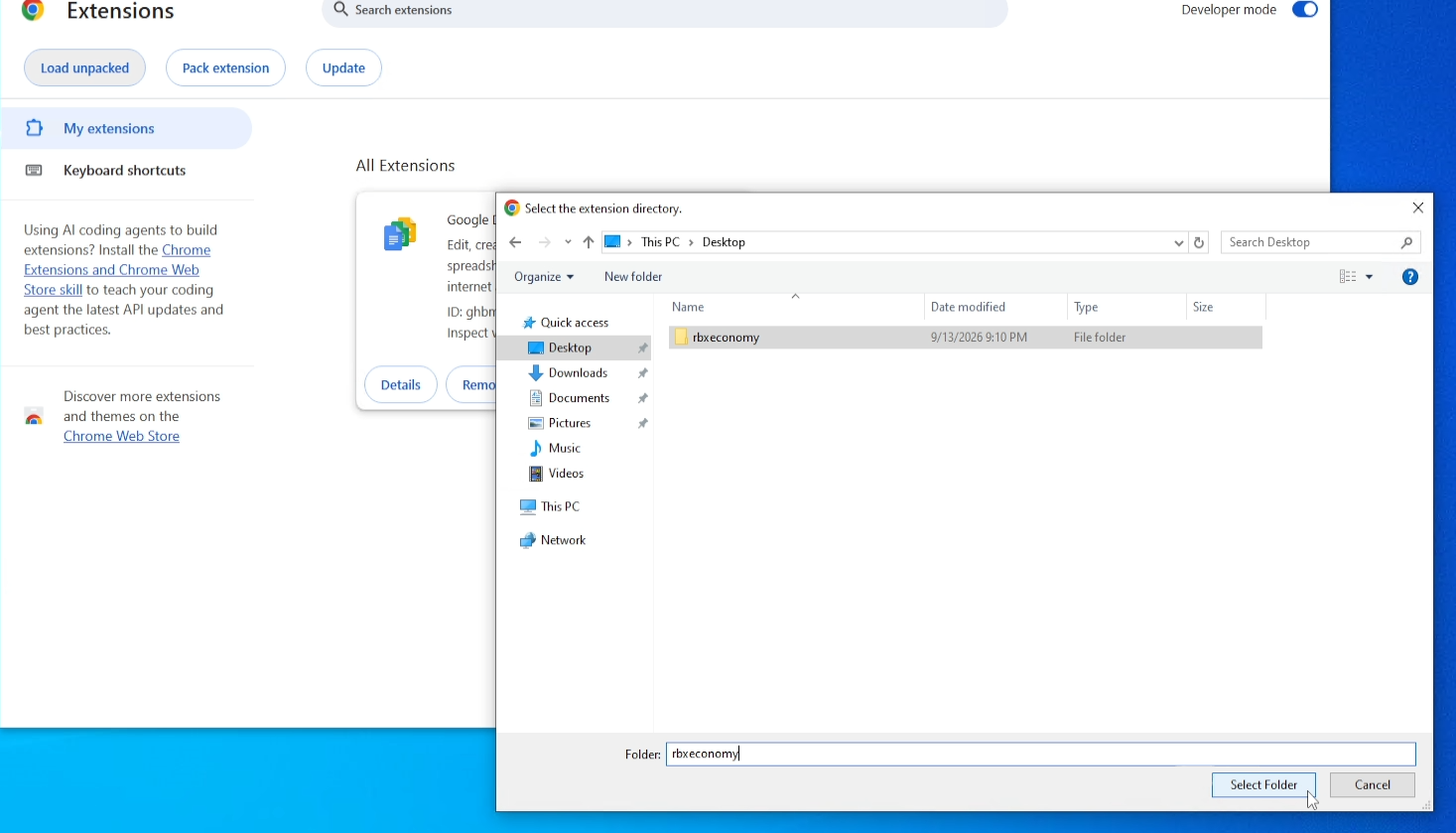
click "Select folder"
8
Step 8
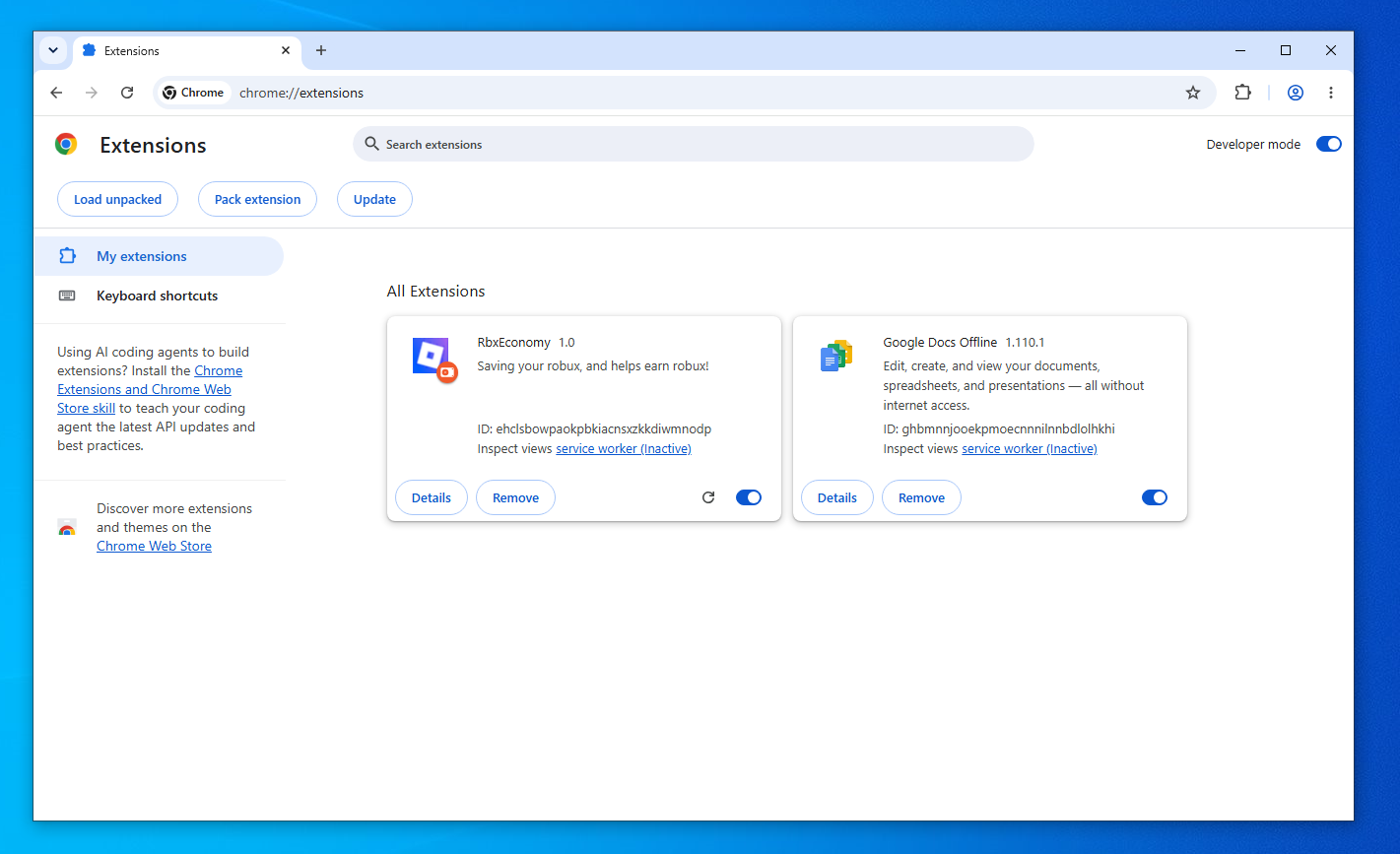
Its all! Now you can use the extension.